Create from recommendations
Serpy finds prompts where your brand is missing or competitors are winning, then turns them into content ideas you can review and send to the outline builder.


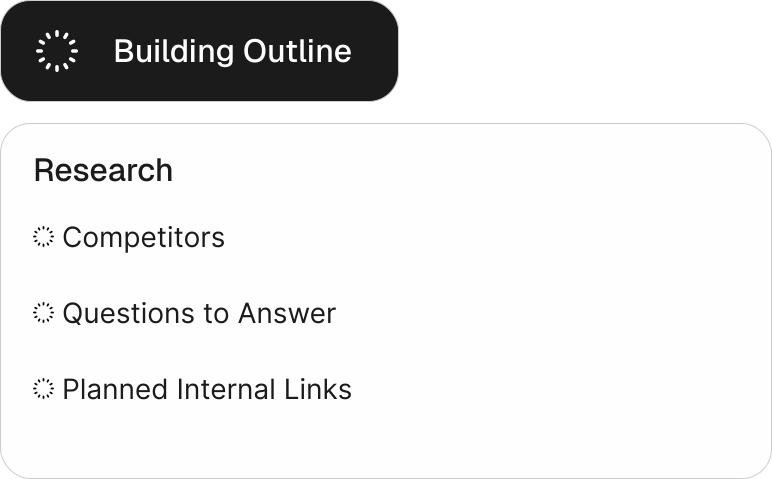
Serpy builds outlines based on structure of pages that already rank, so every article starts with real search context, structure and data.

See what your article is missing before publishing, through your content score directly in the editor.

Create content in a writing style trained from your own brand samples.

Improve an article in one click, then review the suggested edits before applying them.

Serpy finds relevant internal links for each article so new content connects naturally to your site.
Serpy automatically creates and edits titles, descriptions and slugs for your articles.

Serpy handles all relevant image generation for your article - you can always edit them later.

Publish or schedule content in 1-click to your connected website.
Trusted by teams building visibility across AI search.










Serpy's built-in tools continuously uncover content opportunities, then turn the strongest ideas into optimized articles for you.
Serpy finds prompts where your brand is missing or competitors are winning, then turns them into content ideas you can review and send to the outline builder.
Start content from keywords and topical clusters backed by real search demand.
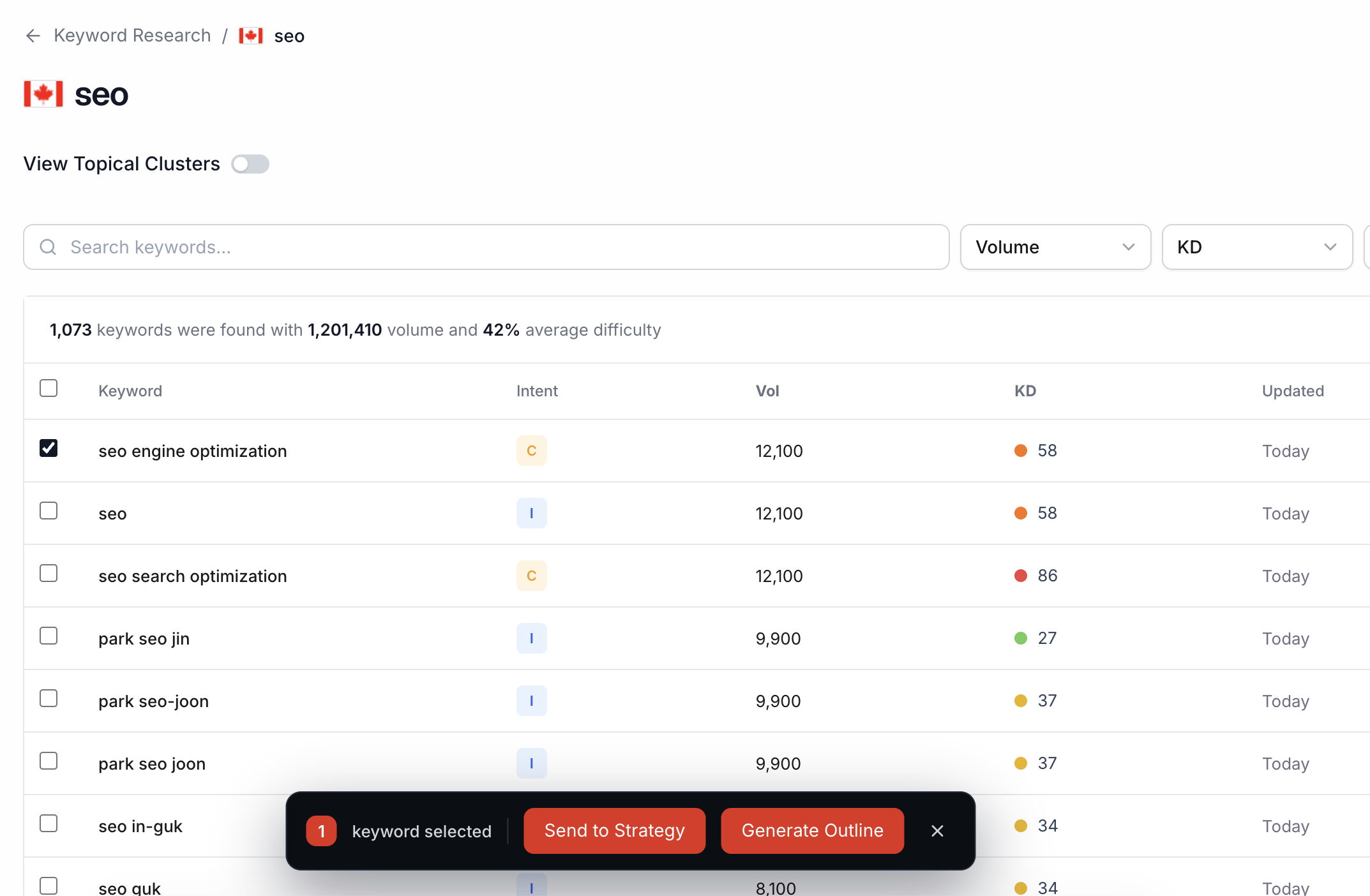
Find missing, weak, or under-covered topics from Auto Scan, Competitor Scan, and Page Targeting.
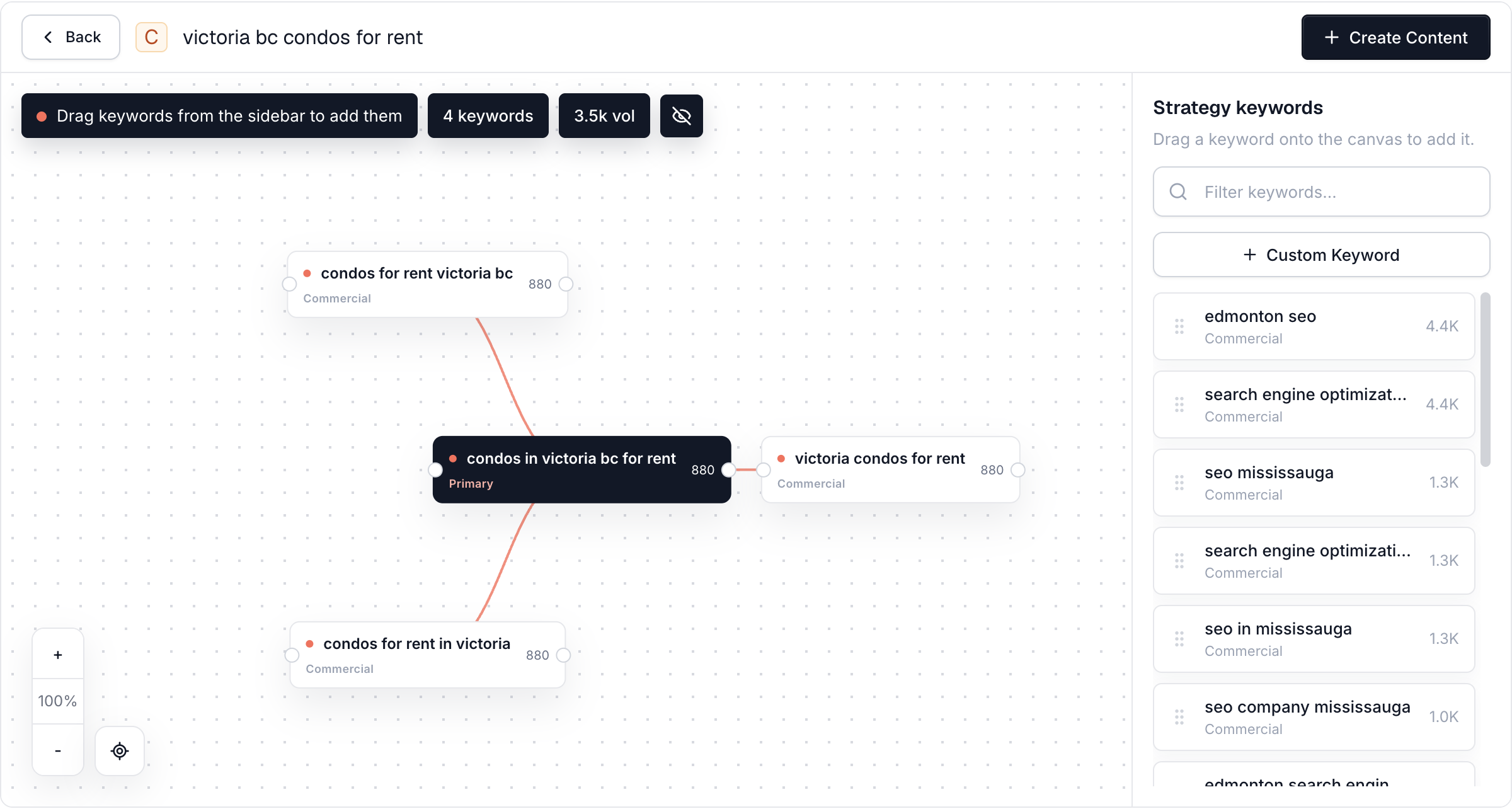
Use your primary and secondary keywords from a topic cluster to create focused, connected content.
Start with a single keyword and Serpy turns it into a guided content workflow. It helps you choose the content type, add a custom voice, include instructions, and move into an outline instead of opening a blank document.



Once Serpy finds your opportunities, Serpy guides the article through planning, writing, optimization, and publishing.
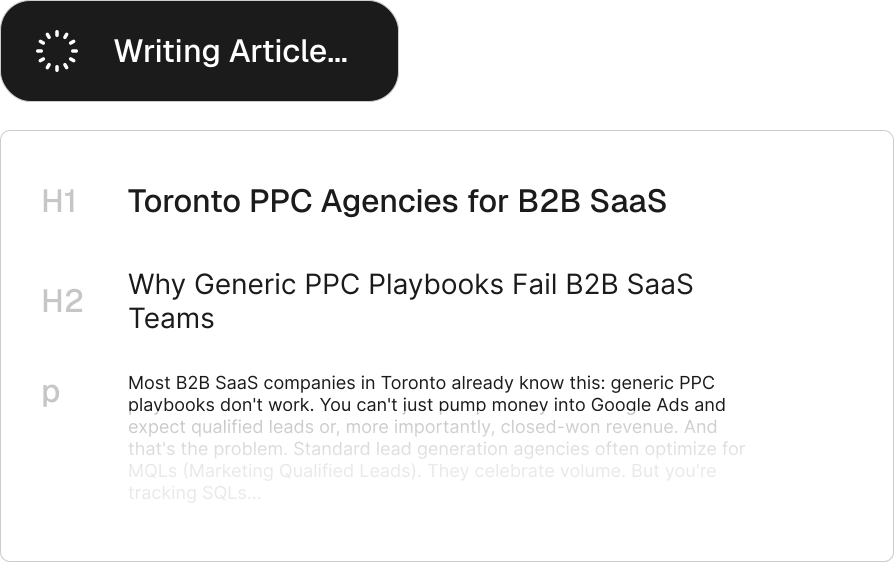
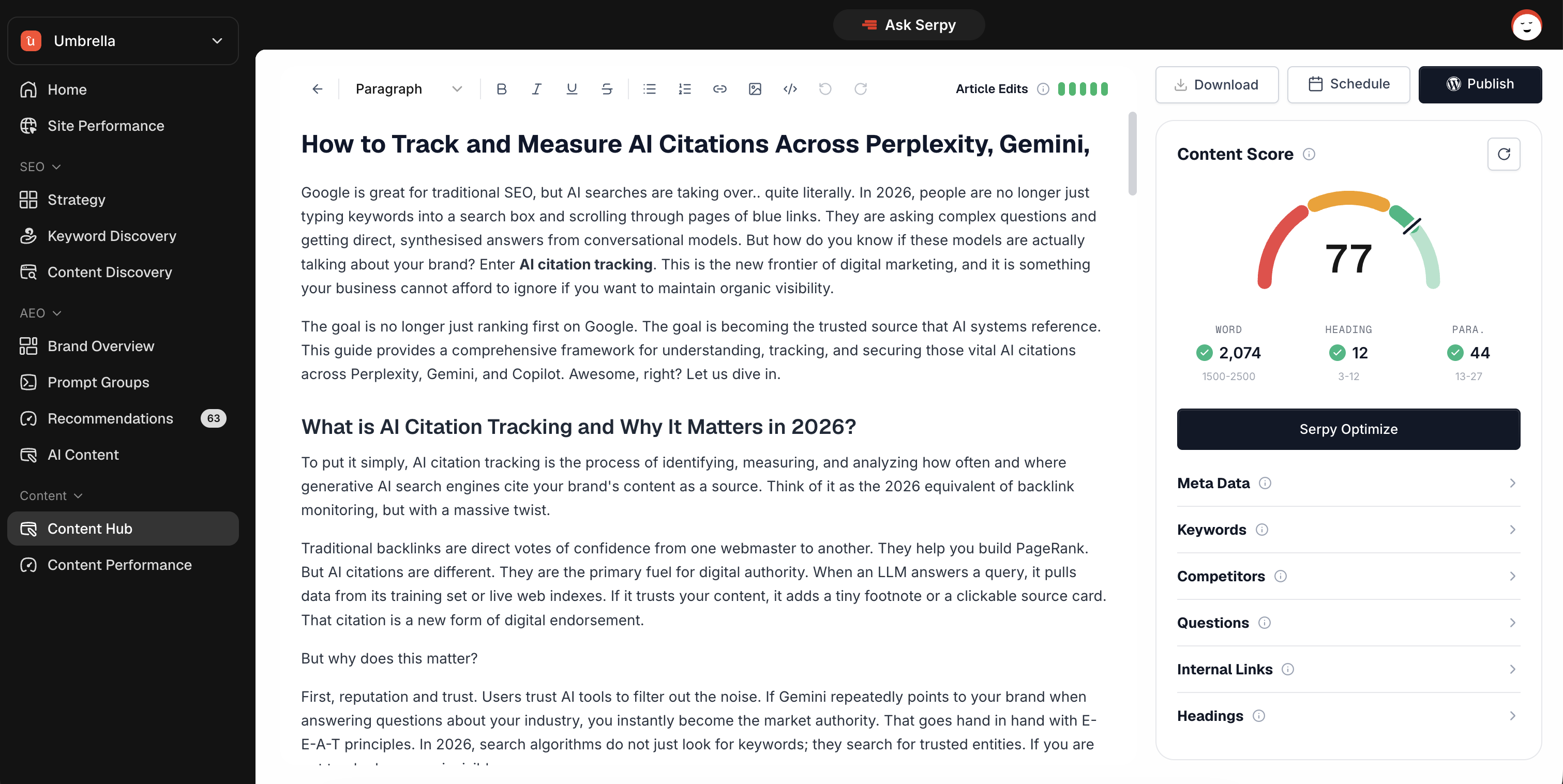
Serpy’s editor is equipped with the tools to improve your article and validate its readiness to rank in search results and appear in AI answers.
See how ready your article is before publishing, with a score based on structure, keyword coverage, metadata, headings, questions, links, and content completeness.
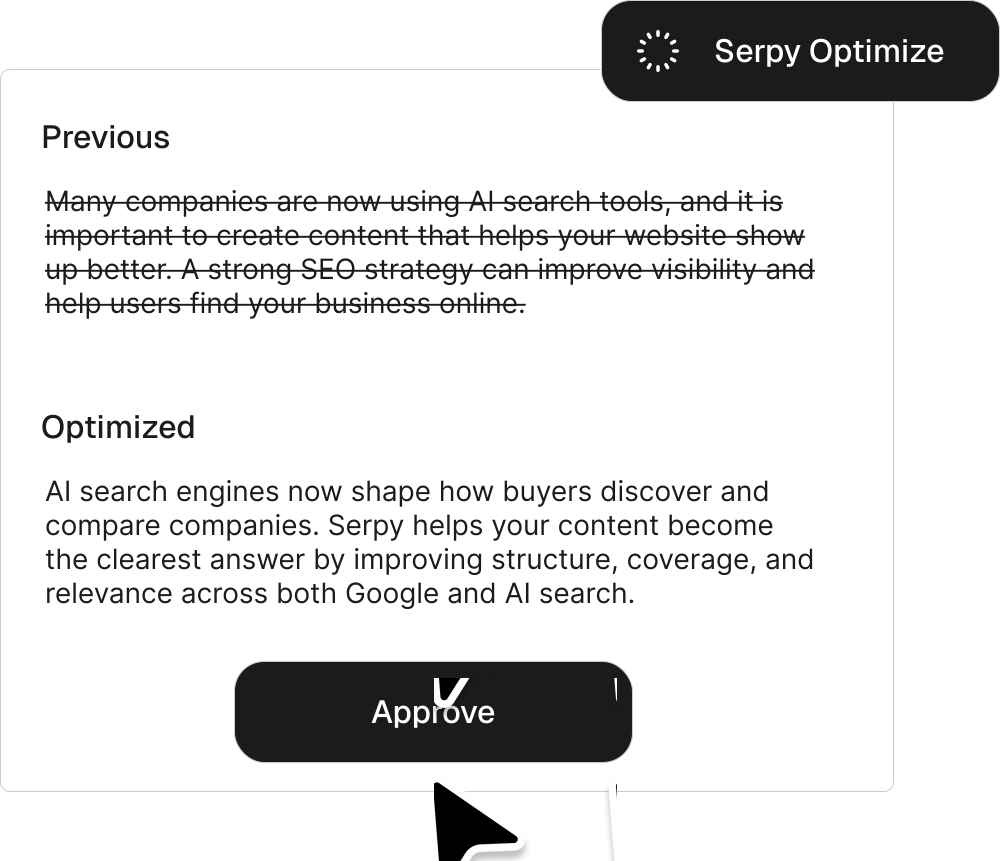
Optimize the article in one click. Serpy reviews the content against the outline, search intent, SERP context, keyword coverage, and AI answer readiness, then automatically suggests improvements to strengthen weak sections, add missing context, and make the article more complete. You can review every change, approve what you want, and ignore anything you do not want applied.

Serpy reviews each article across search, structure, coverage, and readiness signals before it goes live.
Use Serpy to rewrite, clarify, expand, shorten, or improve sections directly inside the editor.
Generate custom images from prompts, screenshot websites or import your own images in to the editor.
One organized workspace for everything you (and Serpy) have written, published, imported, or still need to improve.
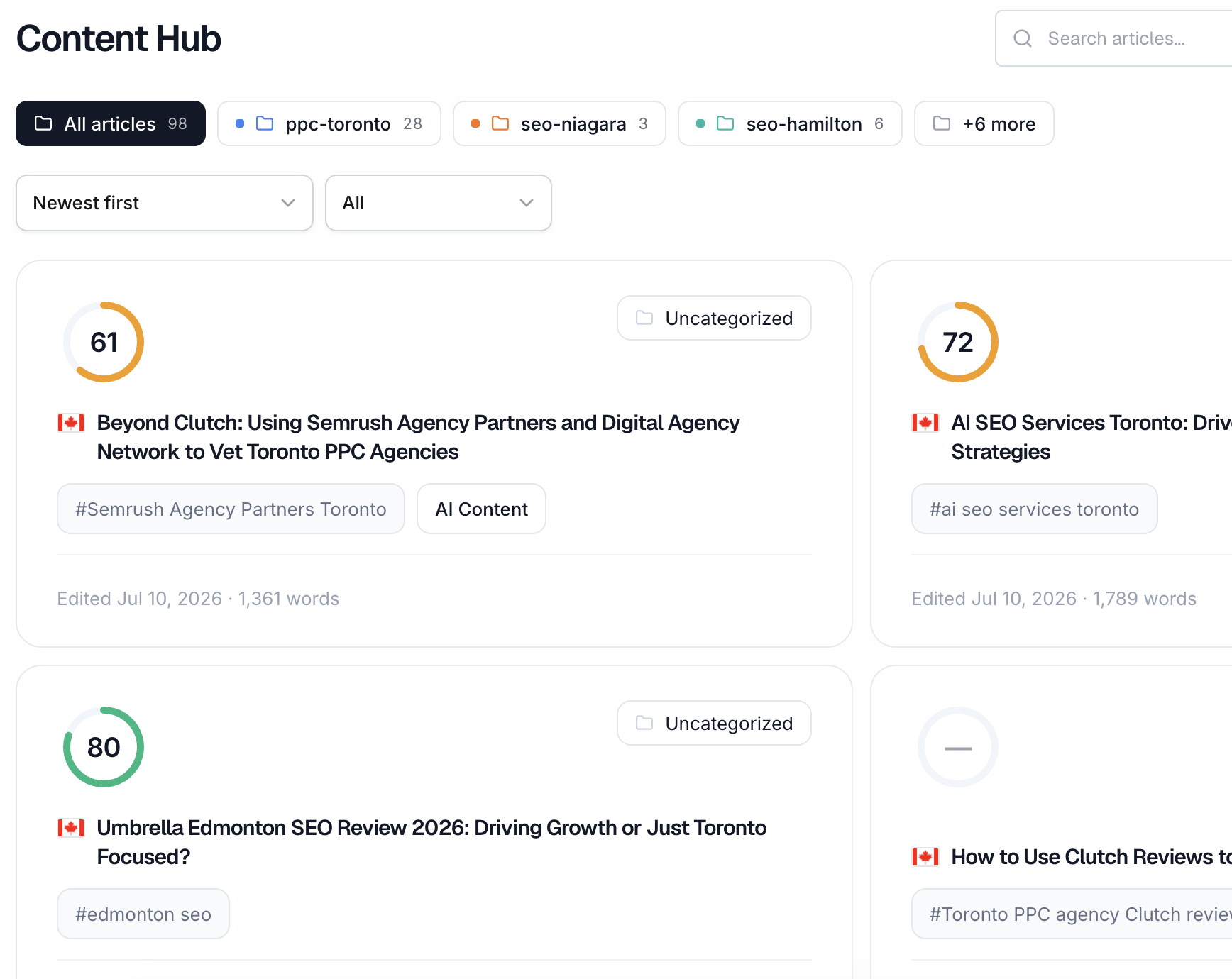
Keep every outline, created article, and published post in one place so your team can return to content whenever it needs editing, reviewing, or updating.
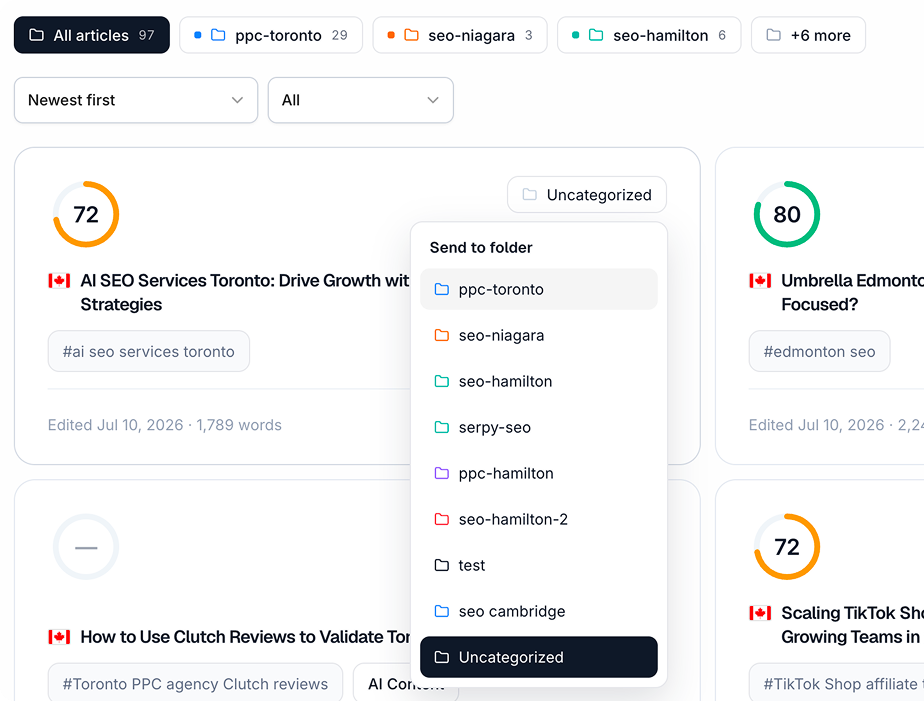
Group related articles into folders so campaigns, topic clusters, clients, or content types stay organized as your library grows.
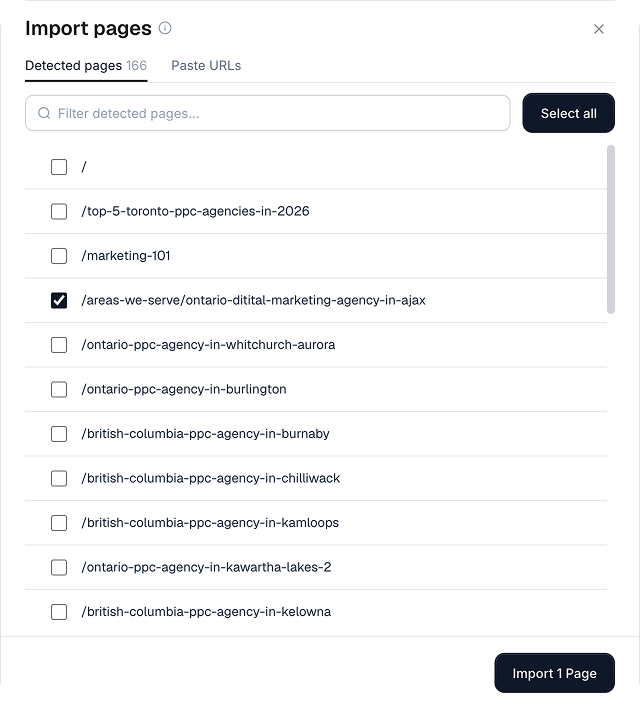
Bring existing pages from your website into Serpy so they can live alongside new content and be reviewed, scored or improved from your workspace.
Yes. Serpy can generate a full article from an outline, using your selected content type, keyword, custom voice, brand knowledge, and instructions. You can then review, edit, optimize, and publish it from the content editor.
Yes. Serpy builds an outline first so the article has a clear structure before the draft is written. Depending on the content type, the outline can use search context, competitor structure, questions to answer, keywords, and your custom instructions.
Content Score shows how ready an article is before publishing. Serpy reviews the content across areas like keyword coverage, metadata, headings, questions, internal links, structure, completeness, and readiness for Google search and AI answer engines.
Serpy Optimize reviews your article and suggests improvements automatically. It checks the outline, search intent, SERP context, keyword coverage, and AI answer readiness, then recommends changes you can approve or ignore before anything is applied.
Yes. Serpy does not blindly rewrite your article. When optimization suggestions are made, you can review the previous version, the suggested version, and choose which edits to keep.
Yes. You can create a Custom Voice by uploading writing samples. Serpy analyzes the style and uses it when generating content, so articles sound closer to your brand instead of generic AI writing.
Yes. You can add article-specific instructions before creating the outline or generating the article. This is useful when you want Serpy to follow a specific angle, include certain points, avoid certain wording, or write for a particular audience.
Yes. Serpy supports CMS publishing for connected platforms such as WordPress, Shopify, Webflow, Wix, Framer, Sanity, Supabase, and custom API/webhook setups. You can also export content if you prefer to publish manually.
Yes. You can import existing pages from your website so they can live alongside new content in Content Hub. This makes it easier to review, score, and improve content that already exists.
Serpy supports multiple content types, including custom standard posts, LLM optimized articles, listicles, how-to guides, comparison articles, reviews, location pages, service pages, and product pages.
Yes. Serpy uses search intent, SERP context, keyword coverage, questions, structure, and citation-friendly depth to help you create content that can perform in traditional search and provide useful source material for AI answer engines. No platform can guarantee rankings or citations, but the same clear, complete content foundations support both.
Yes. Serpy is designed to speed up research, outlining, drafting, and optimization, but your team should still review factual claims, examples, brand language, legal or technical details, and the final reader experience before publishing.
Yes. You can add your own images, generate images from prompts, capture website screenshots, and manage links while working in the editor. Content Score can also highlight areas such as internal-link coverage before the article is published.